
Relevant job matches
A job board where employers post, the career center reviews and approves, students apply, and recruiters manage their applicants.
Jobs, start to finish
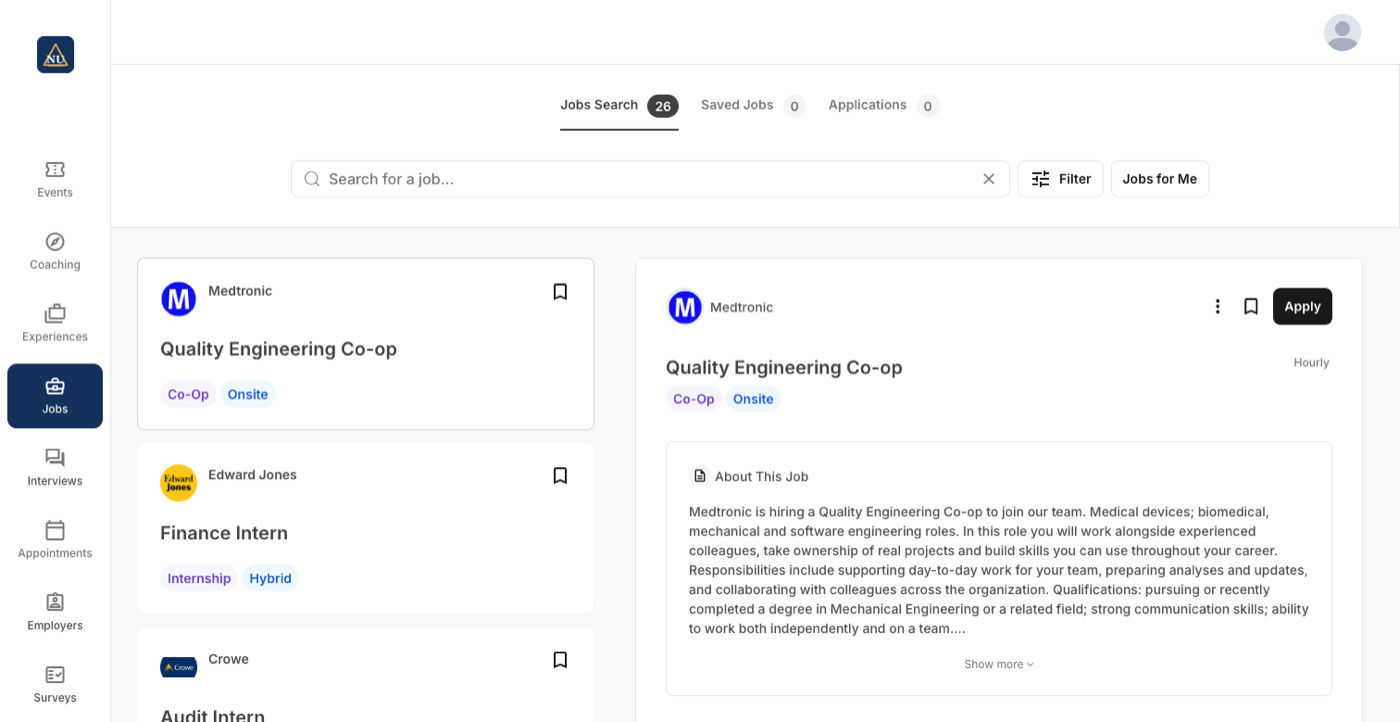
Search, see what is missing, apply anyway
Keyword, location and distance, with filters. A student sees which qualifications they are missing and can still apply.
- Save jobs and apply with a resume and a note to the recruiter, or on an external site
- Edit or withdraw an application
- A link to a single posting can be shared with students
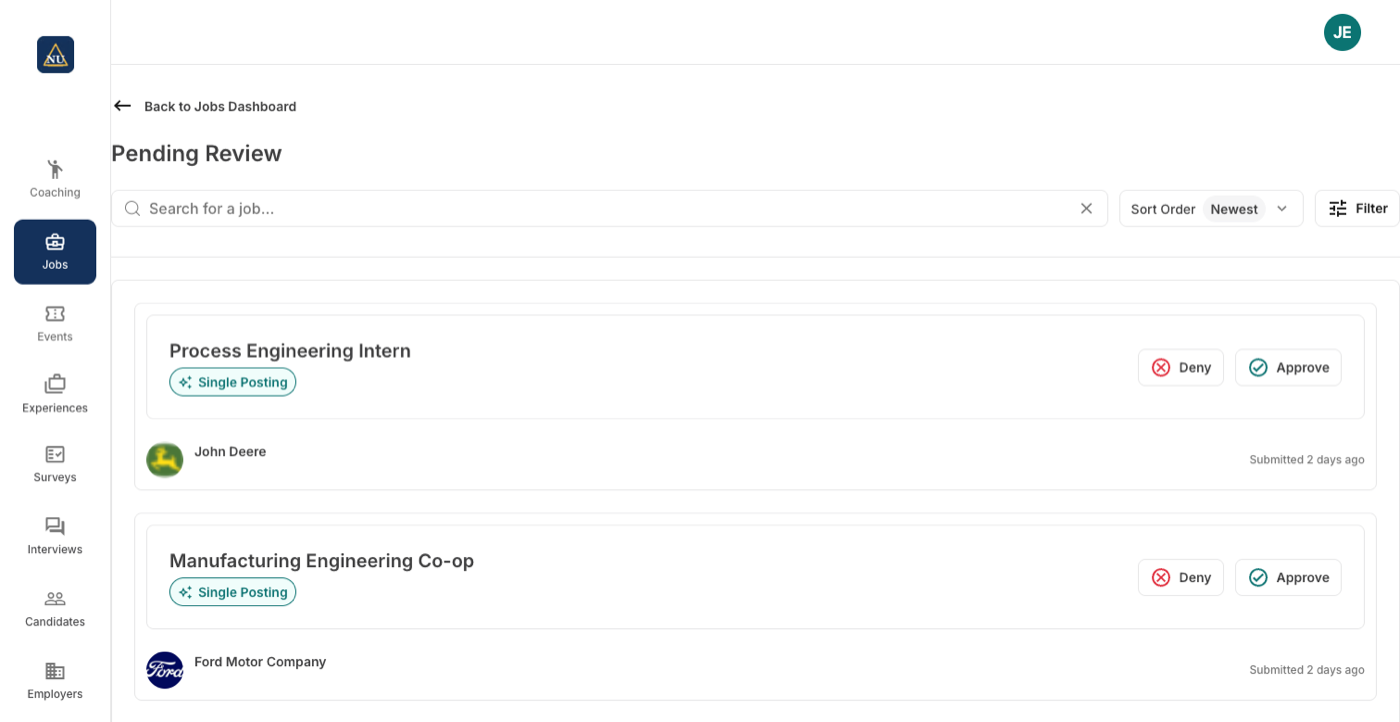
Review with rules you set
New postings wait in Pending Review. Approve, or deny with a preset or custom reason, and set an employer to auto-approve or auto-deny.
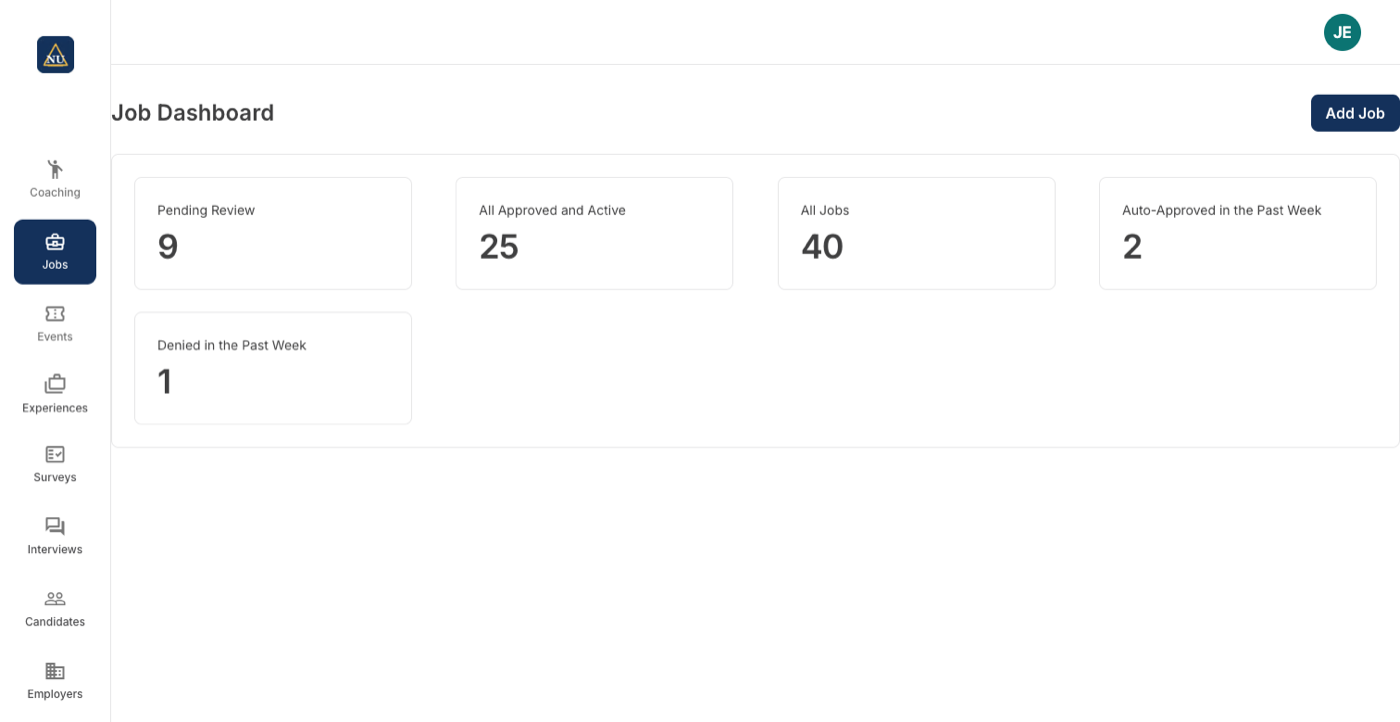
- Pending, approved and active, auto-approved and denied this week, on one dashboard
- Block future postings from an employer
- Edit and renew single postings
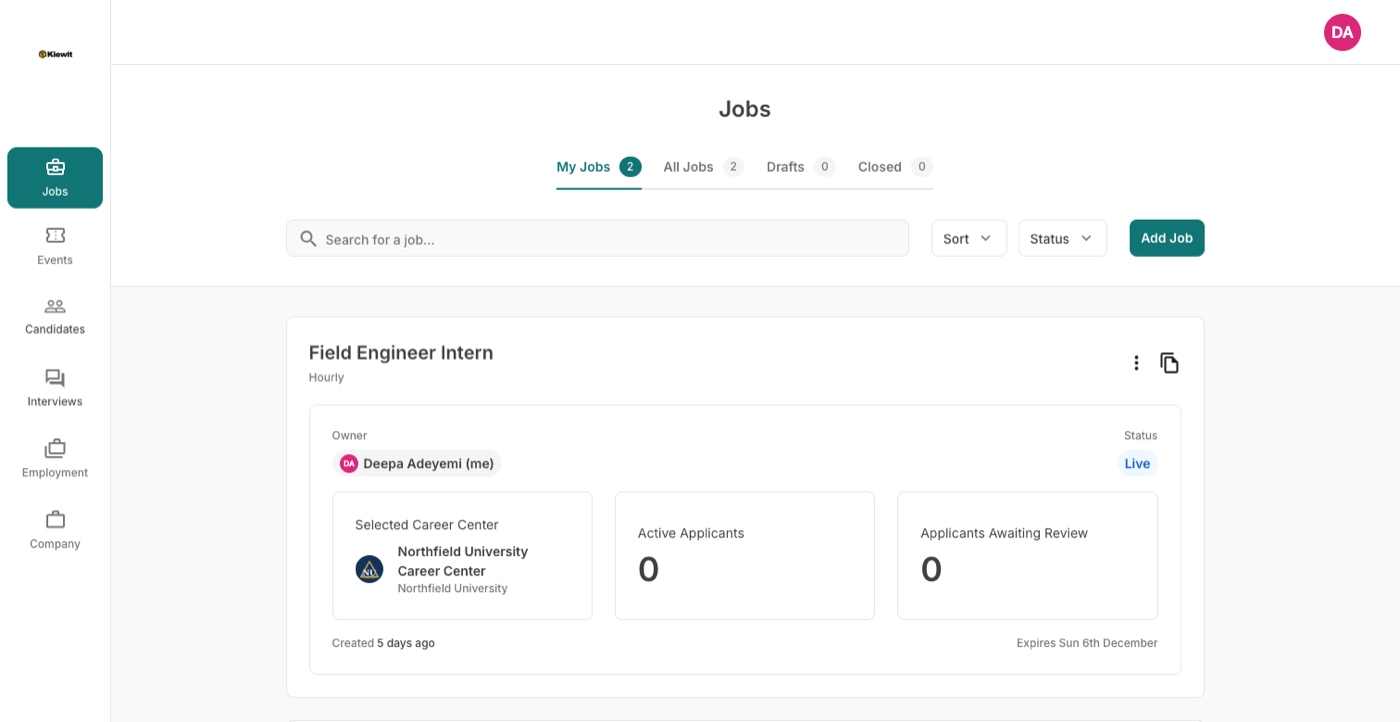
Post once, manage applicants
A guided form covers the job, compensation, qualifications and how to apply; pasting an existing ad fills it in with AI. Applicants are sorted yes, maybe or no.
- Post to one career center or several
- Qualifications match each center's own values
- Export all applicant information
Set once, at the level it belongs to
Each career center on a campus runs its own jobs; what the institution shares is set once for all of them.
| Setting | Set where |
|---|---|
| Whether an employer's future postings are approved or denied automatically | Per employer |
| The deny reasons staff choose from | Per career center |
| Posting to one career center or to several | Per posting, by the recruiter |
| Auto-fill of a posting from a job on the employer's own site | Per career center, switched on by support |
| Qualifications and the picklists they match: majors, school years, degree levels, work authorizations, position types | Per institution, once for every career center |
| Application close date, expiry and renewal | Per posting |
Jobs next to Handshake, Symplicity and 12twenty
Approve or deny with reasons; auto-approve or auto-deny by employer; AI auto-fill from an existing ad.
| How it works there | |
|---|---|
| Handshake | Free posting across the network; employer validation and auto-approval for schools. Source Full comparison |
| Symplicity | A configurable job and internship board. Source Full comparison |
| 12twenty | A job board with a customizable job-post form. Career-center approval of postings: not found on its site. Source Full comparison |
Statements about other products come from their own sites, linked in each row.
New in Jobs this fall








Jobs, in a career center's words
“AI job posting has been such a great time saver for a small office like ours.”
“It made me feel better that it didn't hallucinate and make up a number.”
On auto-fill leaving a salary field blank when the employer's posting was ambiguous, instead of guessing.
What Jobs does not make you do
Your approval rules
Every posting waits in pending review unless you have decided otherwise for that employer. Approve, or deny with a reason the employer sees, and set an employer to auto-approve or auto-deny from then on.
One account for employers
An employer registers once on Career Forge and posts to one career center or several. Your board carries the postings you approved.
Paste a link, get a posting
Staff add a job from the employer's record and auto-fill it from the posting on the employer's site; the final check screen shows what was read before it goes live.
