Eight products, one system
Students and alumni, employers, and career center staff each get their own portal on the same records.
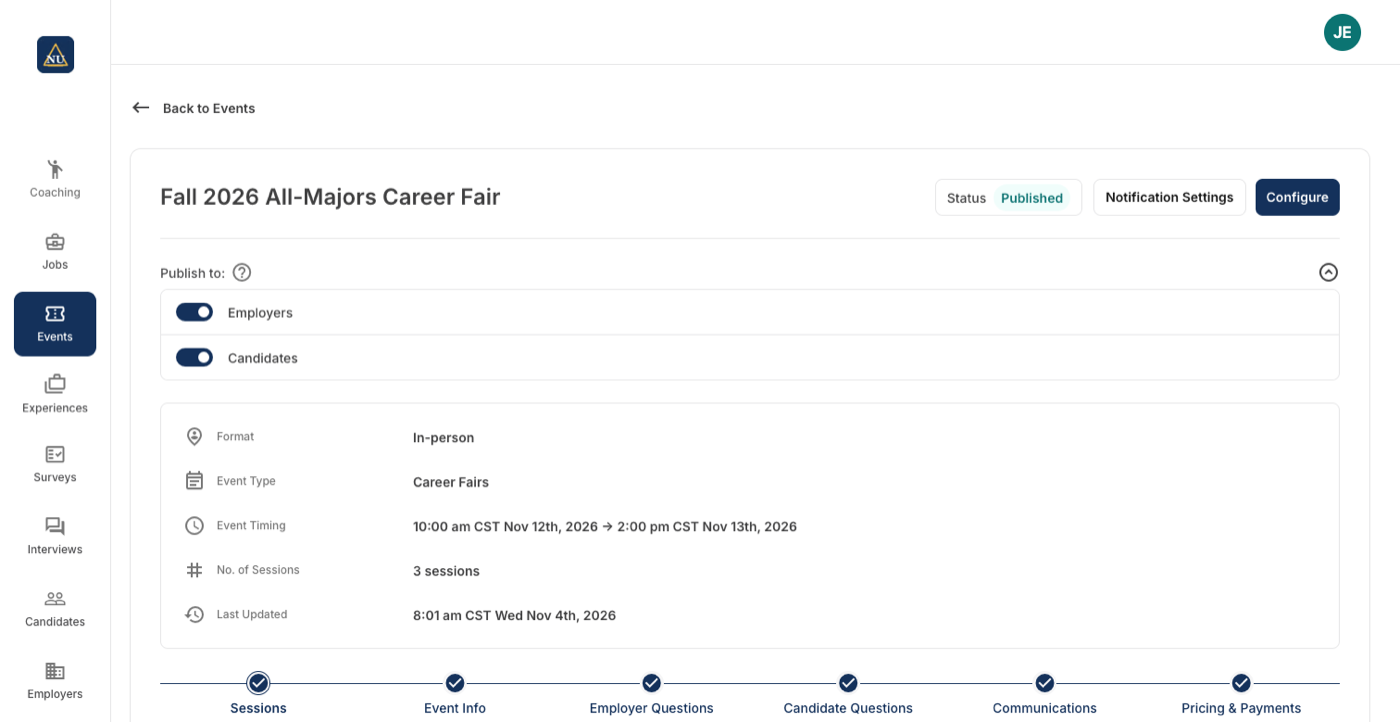
Faster, simpler events
Create career fairs and other events, take employer and student registrations, approve them and invoice employers, all in one place.
- Single or multi-session events, in person or virtual
- Employer packages, add-ons, pricing by organization type and early-bird rates
- Custom questions for employers and for students
- Approvals, booth numbers, invoices and a financial overview per event
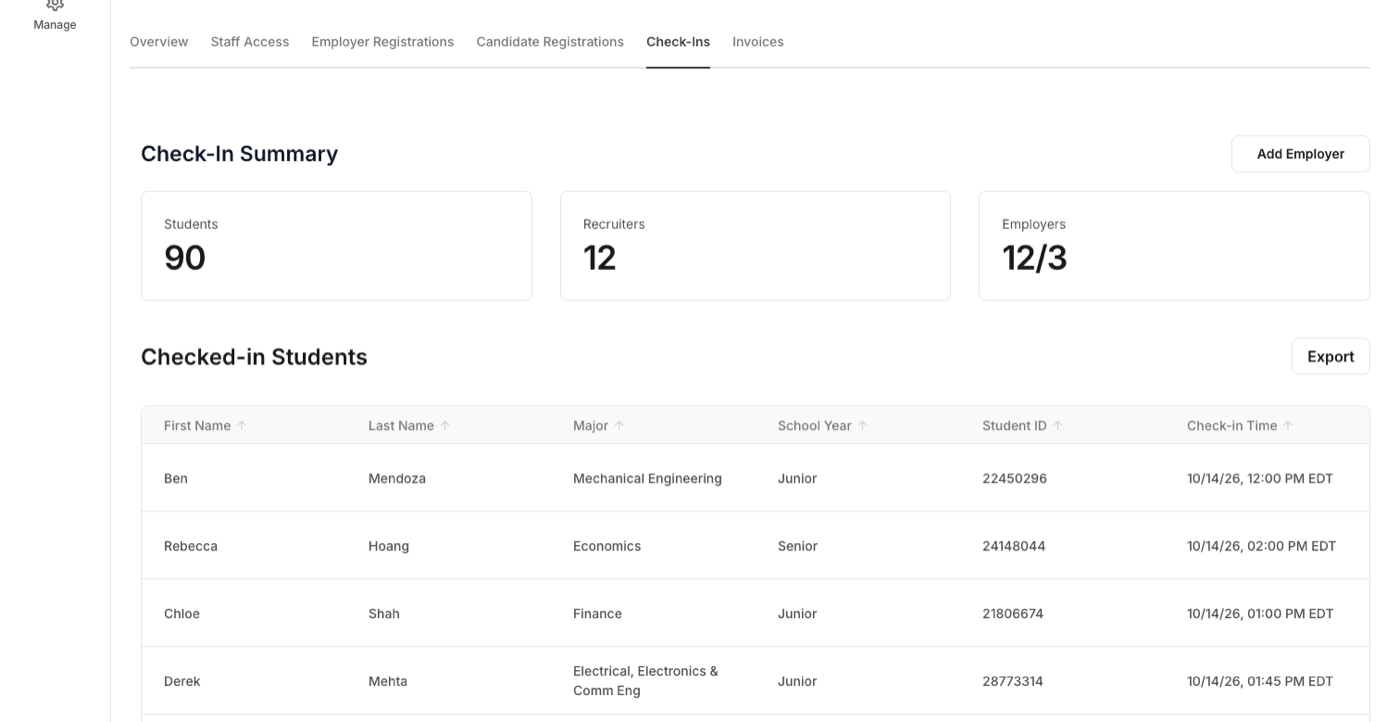
Fast, reliable check-in and badge printing
An iPad kiosk app and a label printer that check students and recruiters in at events and print their badges, even on poor Wi-Fi.
- Students check in by scanning their ID card, searching their name or tapping an NFC card
- Default, Speed and Tap-and-Go modes, or check-in without printing
- Recruiters check in and get badges too, with on-the-day employer additions
- Works offline and syncs when the iPad is back online
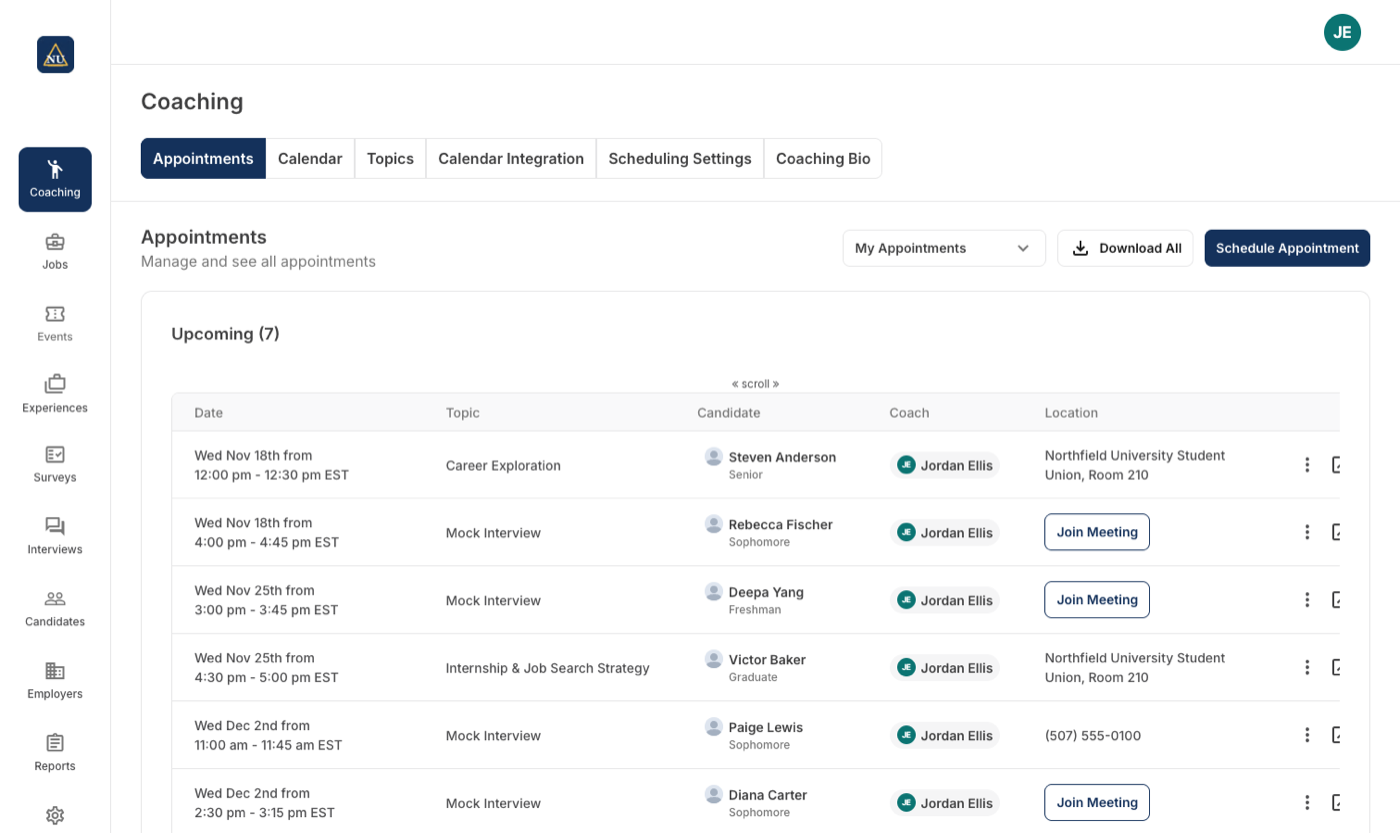
Practical tools for better coaching
Students book appointments with coaches and advisors by topic, and each coach manages topics, availability and calendar inside Career Forge.
- Topics, locations, resources and booking limits set per career center
- Each coach picks the topics they offer and can limit who may book by major, year or other profile criteria
- Minimum notice and buffers between appointments
- Google and Microsoft calendar sync: booked appointments block the coach's calendar, and busy time blocks booking
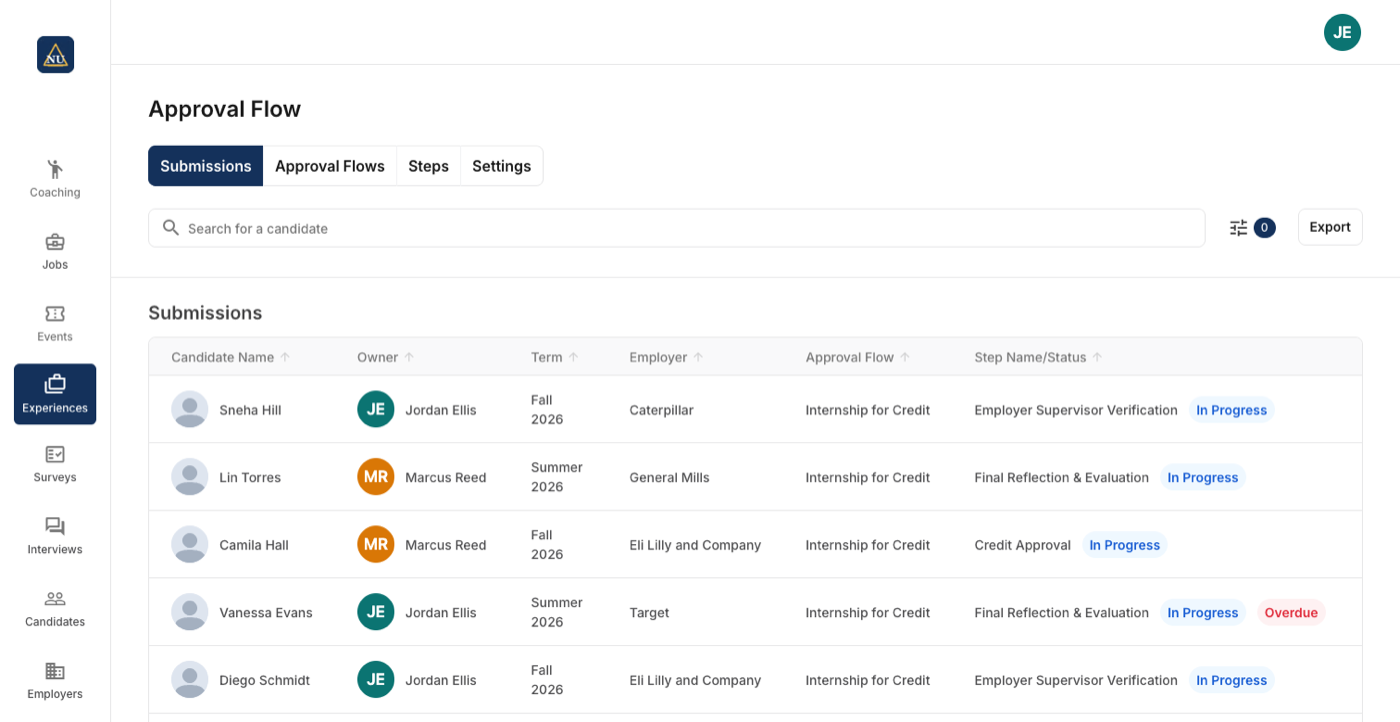
Approval workflows shaped to your process
Students submit internships, jobs, volunteering and courses for credit, and each submission moves through approval flows the career center designs itself.
- Build steps (action or review, with an actor and questions) and assemble them into approval flows
- Run several flows for different student groups, experience types or times of year
- External reviewer steps for supervisors outside the career center
- Approve, send back for rework, add notes, or complete a step on a student's behalf
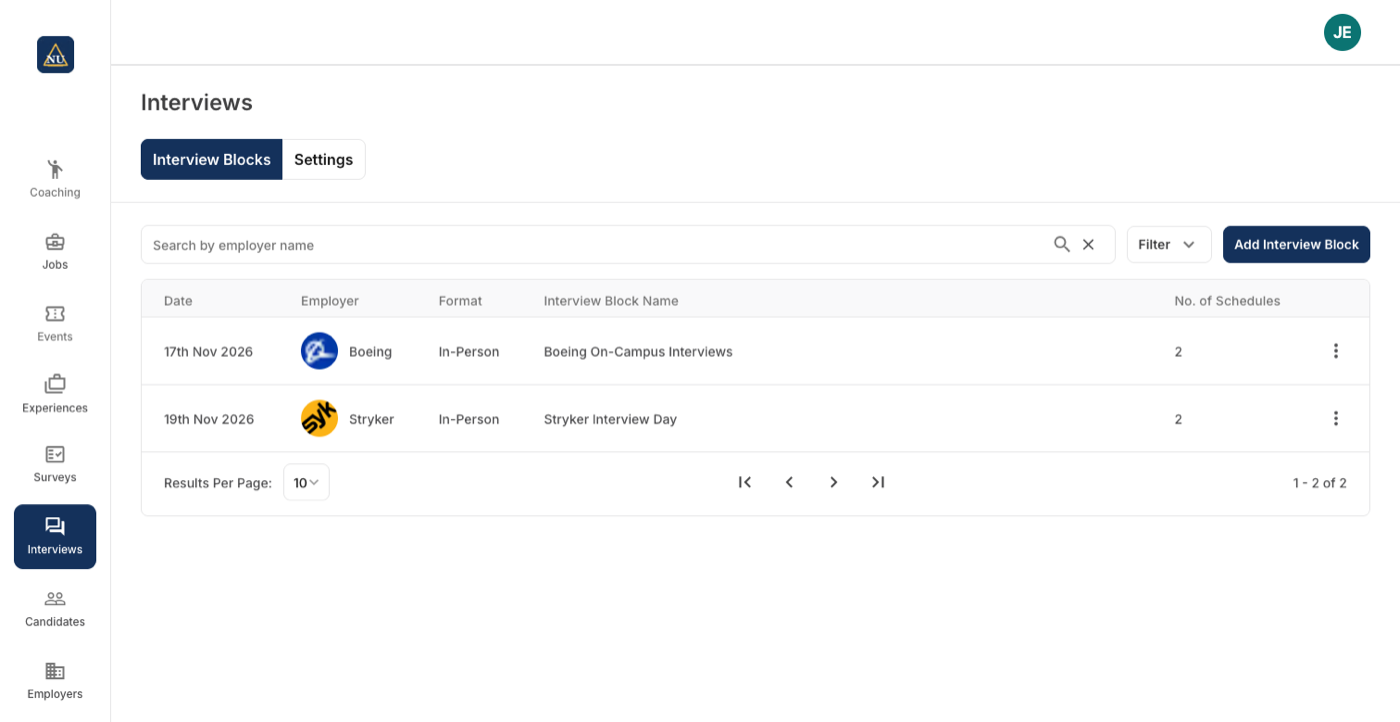
Centralized interview management
Schedule, manage and record interviews between employers and students, on campus or virtual, with or without a job posting.
- Set up an interview block without a job posting, or link one when it exists
- Rooms and resources for on-campus and virtual interviews
- Invitation-only blocks, open blocks any qualified student can book, and record-keeping blocks for interviews that happened elsewhere
- Recruiters set their own availability and invite candidates; staff keep oversight
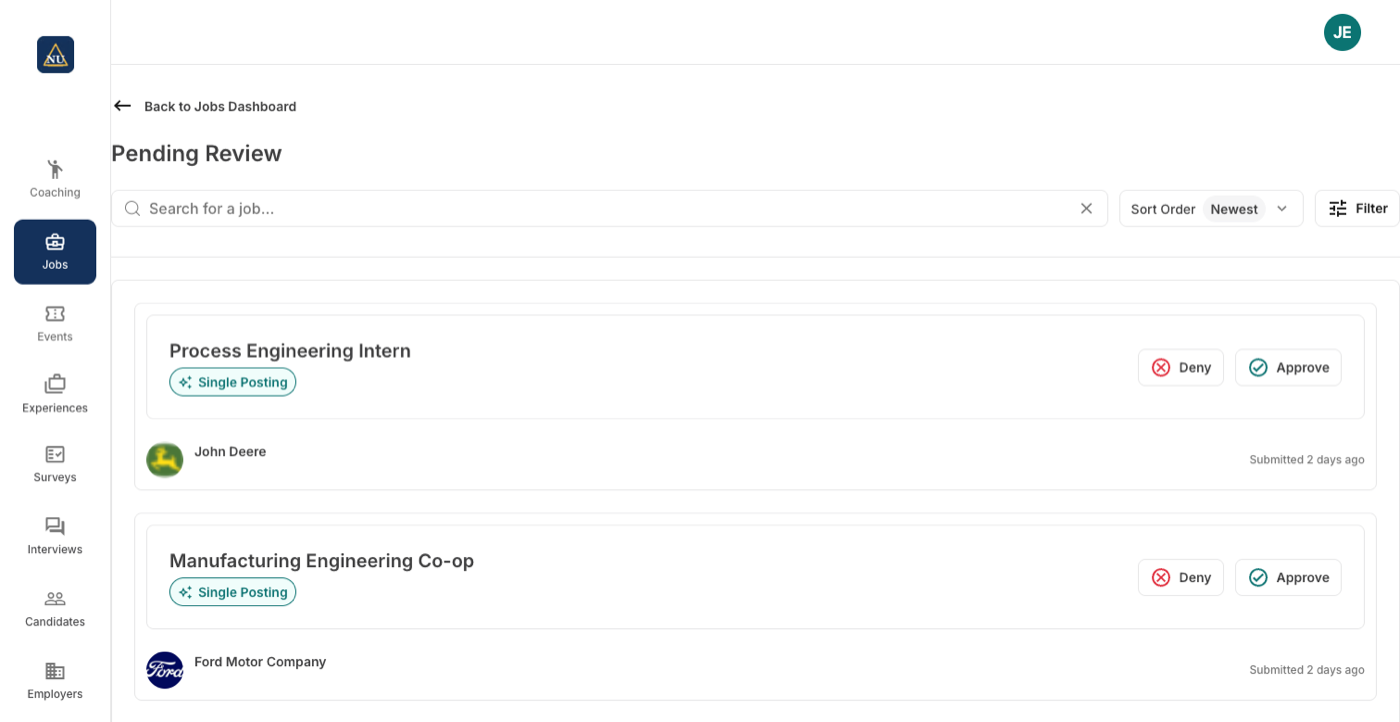
Relevant job matches
A job board where employers post, the career center reviews and approves, students apply, and recruiters manage their applicants.
- A guided posting form covering compensation, qualifications and how to apply
- Auto-fill a posting with AI by pasting the employer's existing job ad
- Approve or deny with reasons; auto-approve or auto-deny by employer
- Post to one career center or several; qualifications match each center's own values
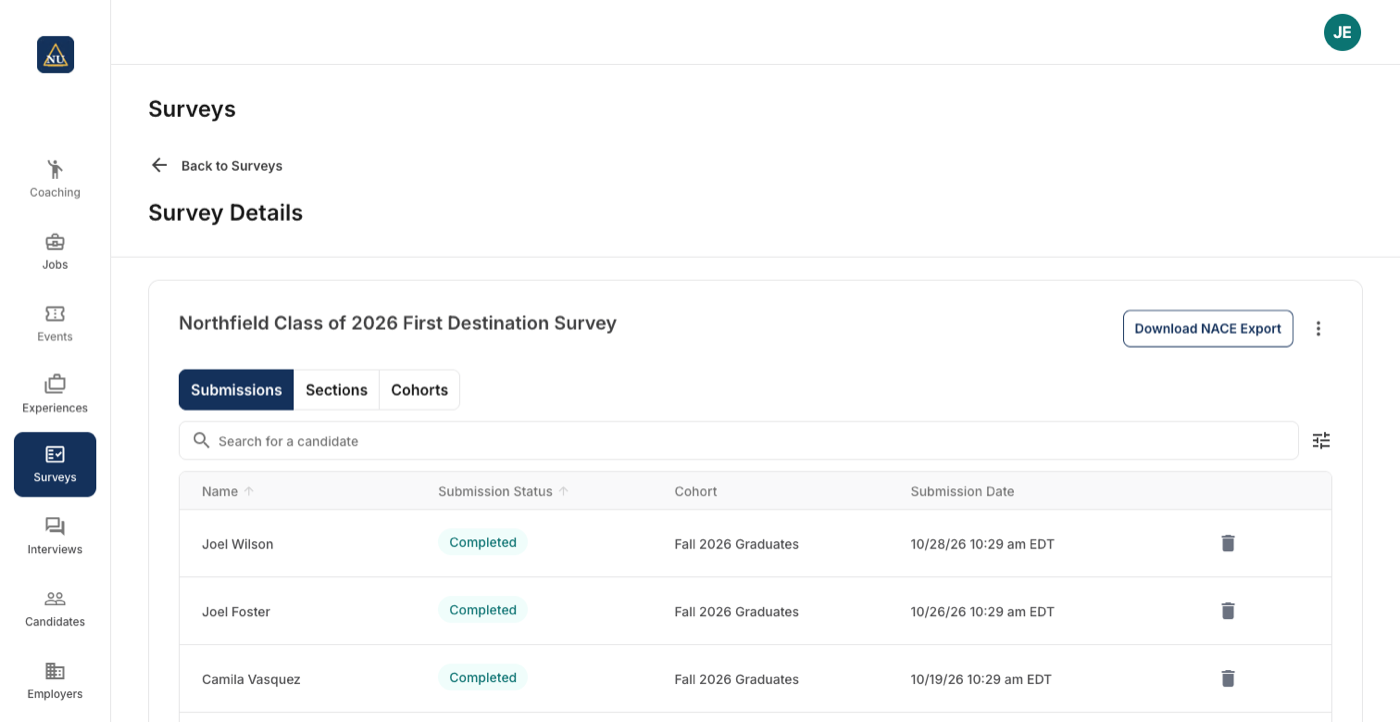
Collect first destination and outcomes data
Survey graduates with the NACE First Destination Survey or a survey of your own, track responses by cohort, and export the results.
- Start from the NACE First Destination Survey template or from scratch; templates for other standards (MBA CSEA, ABA, NALP) are built on request
- Reword NACE questions and answers while they stay mapped to the NACE standard
- Sections with skip logic and visibility rules
- Cohorts built by search, filter or an uploaded list, each with its own email schedule
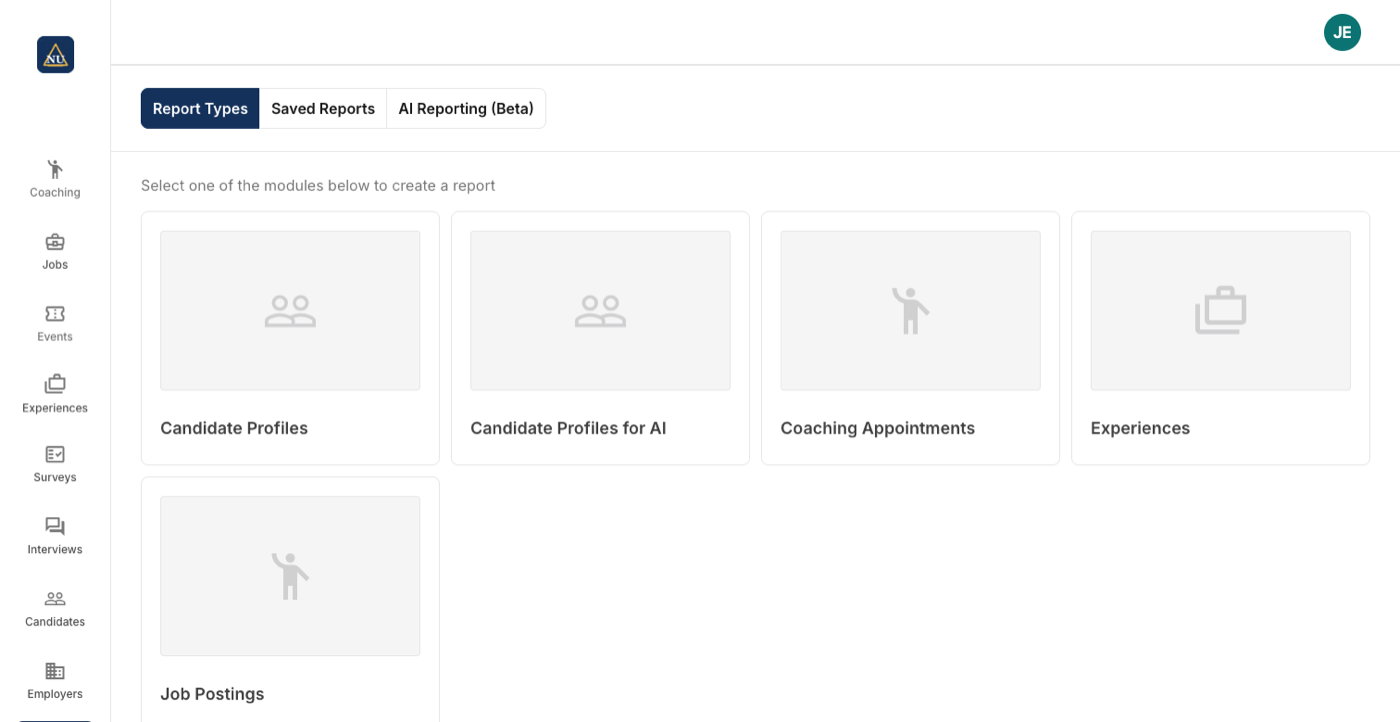
Reporting that lets you talk to your data
Build, filter, save and email reports on live data across candidates, coaching, experiences and jobs.
- A report builder with a field picker, filters and pivots
- Save a report as a Look in your own folder or a group folder
- Email students straight from a report, with merge fields
- Download the raw data for analysis elsewhere
Across the platform
- Single sign-on with the university's identity provider
- Separate portals for students and alumni, employers, and career center staff
- One installation can serve several career centers on the same campus
- Employer relations in the same system: contacts, notes, logged emails and custom properties on every employer record
- Institutions can rename terms to match their own vocabulary
Students and alumni
- Search and save jobs, apply with a resume and a note, and track applications
- Register for events and check in on the kiosk with an ID scan or NFC tap
- Book coaching appointments by topic with the right coach
- Submit internships and other experiences for approval
- Complete career center surveys, including first destination
Employers and recruiters
- Create a recruiter account and manage company details
- Register for a career center's events in five steps, then find and pay the invoice
- Post jobs to one career center or several
- Review applicants and sort them yes, maybe or no
- Set interview availability and invite candidates






What career centers say after a term on Career Forge
“Our students are absolutely loving Career Forge, and we love working with your team. It's so nice to have a platform we don't stress about anymore.”
“The customer service was the best of any vendor I've ever worked with in this industry.”
On the first destination survey module.

“The coaching area is an easy place for students to help themselves, which is a big win for a small office like ours. Students really enjoy using it, and we get far fewer questions about how to find things or how to do things.”
“One of the big wins from the beginning has been the badging system. It works really well, it impresses students and the rest of the university, and we've been able to use it for other events.”
“For the first time, I could report how many students had second-day interviews. We set up a second kiosk session, and students checked in for their interviews just as they had for the fair.”
“AI job posting has been such a great time saver for a small office like ours.”
“We haven't had any questions or complaints, not even a “what do I do”. In past systems, brand-new students would ask how to get in and what to do. We haven't had any of that.”
“The bug and idea feature is so helpful. It's fun seeing how fast things get taken care of.”
“The experiential learning module is my favorite. Completely biased.”
“The report was really compelling. I went through it a few times. I was surprised you could pull that level of analytics and insight. It wasn't pure spreadsheets; there was intentionality behind it.”
“We had 1,720 students check in through Career Forge at our two-day fall fair. That was awesome.”

“We had a great event. Everything worked beautifully.”
A week after the fall career fair, run on Career Forge with iPad check-in.
“It made me feel better that it didn't hallucinate and make up a number.”
On auto-fill leaving a salary field blank when the employer's posting was ambiguous, instead of guessing.
“We promoted early check-in, which we called Skip the Line, and had the kiosk in our office for about a week beforehand. The line was much more manageable than last year's fall fair, and we got good feedback from employers.”
A fall fair of a little over 1,100 students, with the kiosk set up in the office the week before so students could print their badges early.
“I love the ease of use and the clean look. It's very easy to pick up.”
“It's so much easier to write an email to students.”
“That was something the Chancellor wanted. We were able to give him a metric we just didn't have before.”
On counting the students who came back for second-day interviews, by checking them in at a kiosk.
“That's going to be great. People call all the time to ask if we have anything left.”
On seeing the packages remaining for each session on the event overview, a request he had made in September.
“We've made it so easy to pay: employers just click a link and pay.”
“When our students log in and look at the events, all the information they need is right there. It looks great.”
“I can't think of anything that hasn't been working great, or anything that could be better at this point.”
“It's been smooth. The only thing that came up on launch day was a couple of minor issues from an error on our side in the upload data, and that wasn't a five-alarm fire by any means.”
Two weeks after the college's student launch.
“We're routing our career fair registration through Career Forge, and I haven't hit any bumps in the road. It's all been smooth sailing.”
“We approve jobs case by case as they come in, so the board stays curated.”
“It's been going smoothly and working well.”
On advising appointments, two months in.
