
Practical tools for better coaching
Students book appointments with coaches and advisors by topic, and each coach manages topics, availability and calendar inside Career Forge.
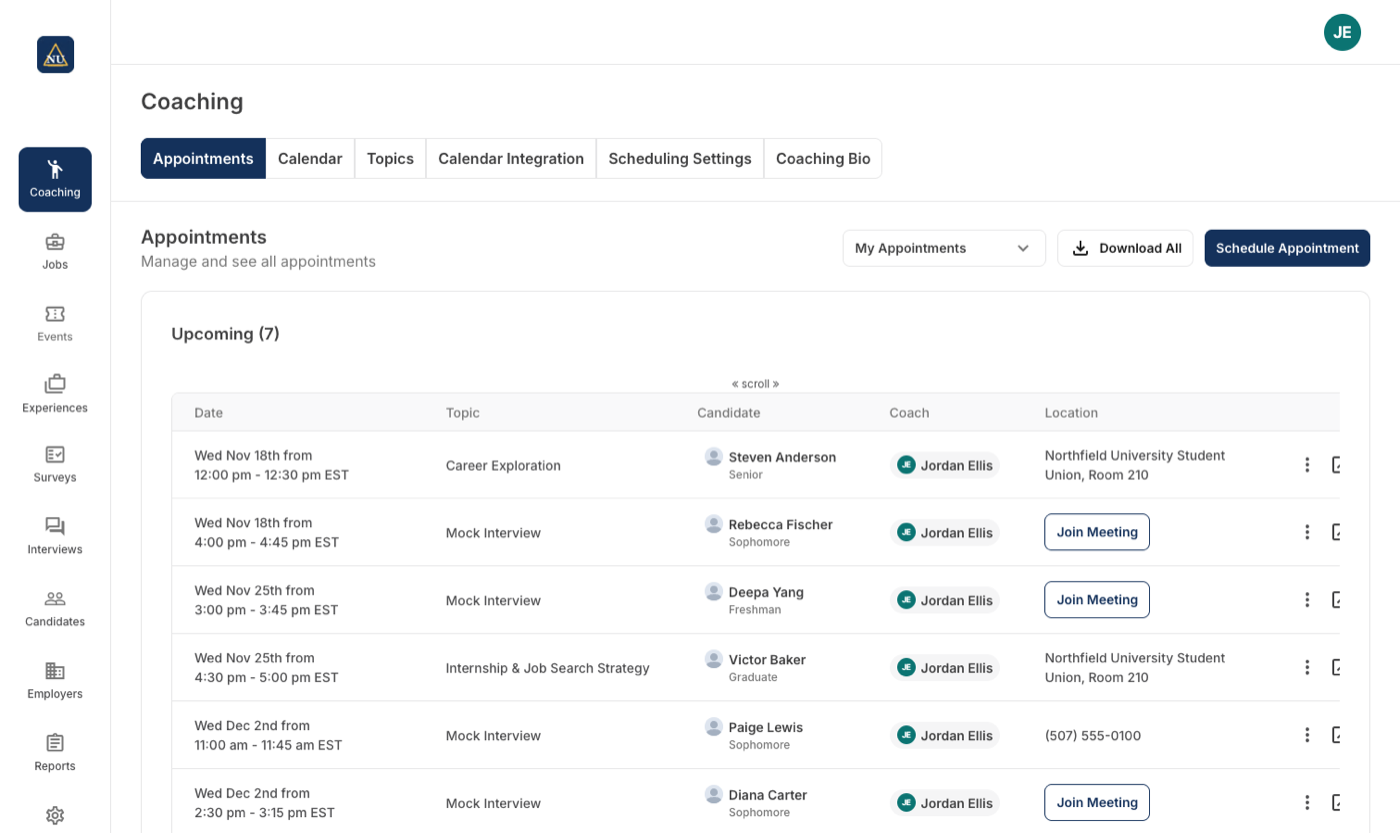
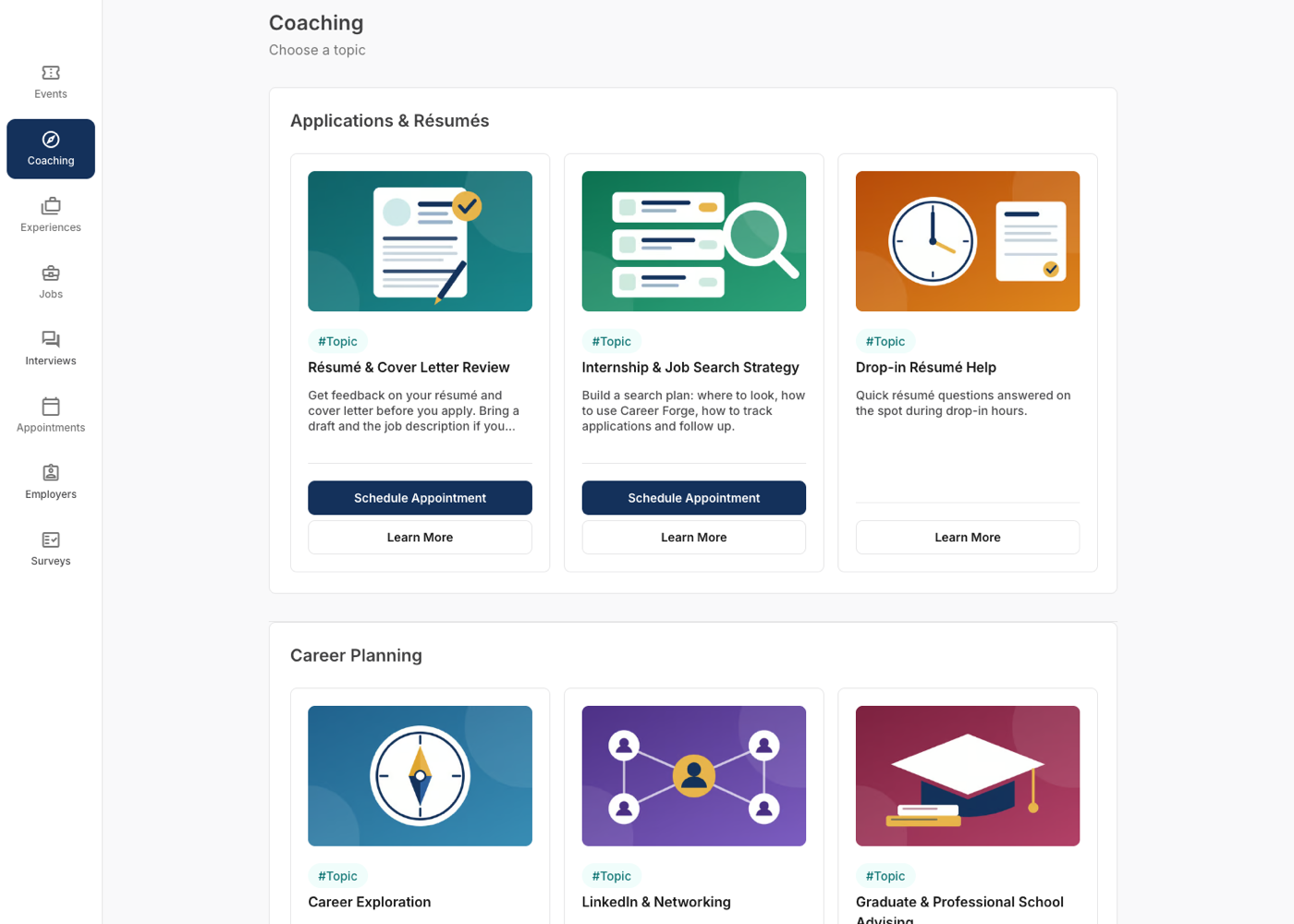
Book by topic, with the right coach
A student picks a topic, then a coach by specialty or availability. Resources linked to each topic answer the questions that never needed a meeting.
- Topics, locations and resources set per career center
- Booking limits per student
- Reminders by email
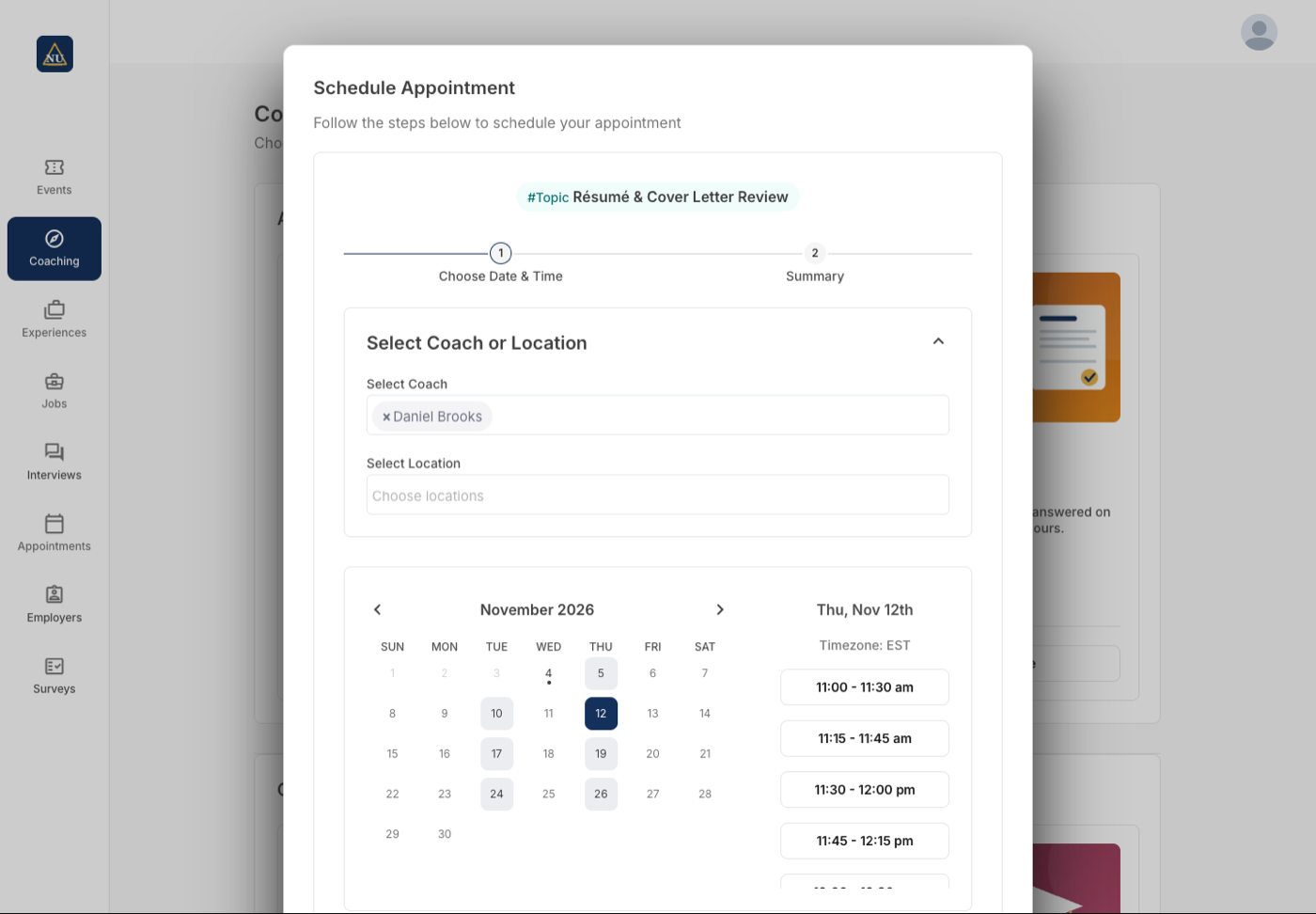
Then a coach, a day and a time
The booking dialog shows the coaches who offer the topic, the days each has open, and the slots on the day the student picks. A location or a meeting link comes with the slot.
- Filter by coach or by location
- Only days with open slots are offered
- Confirmation and reminders by email, with the link
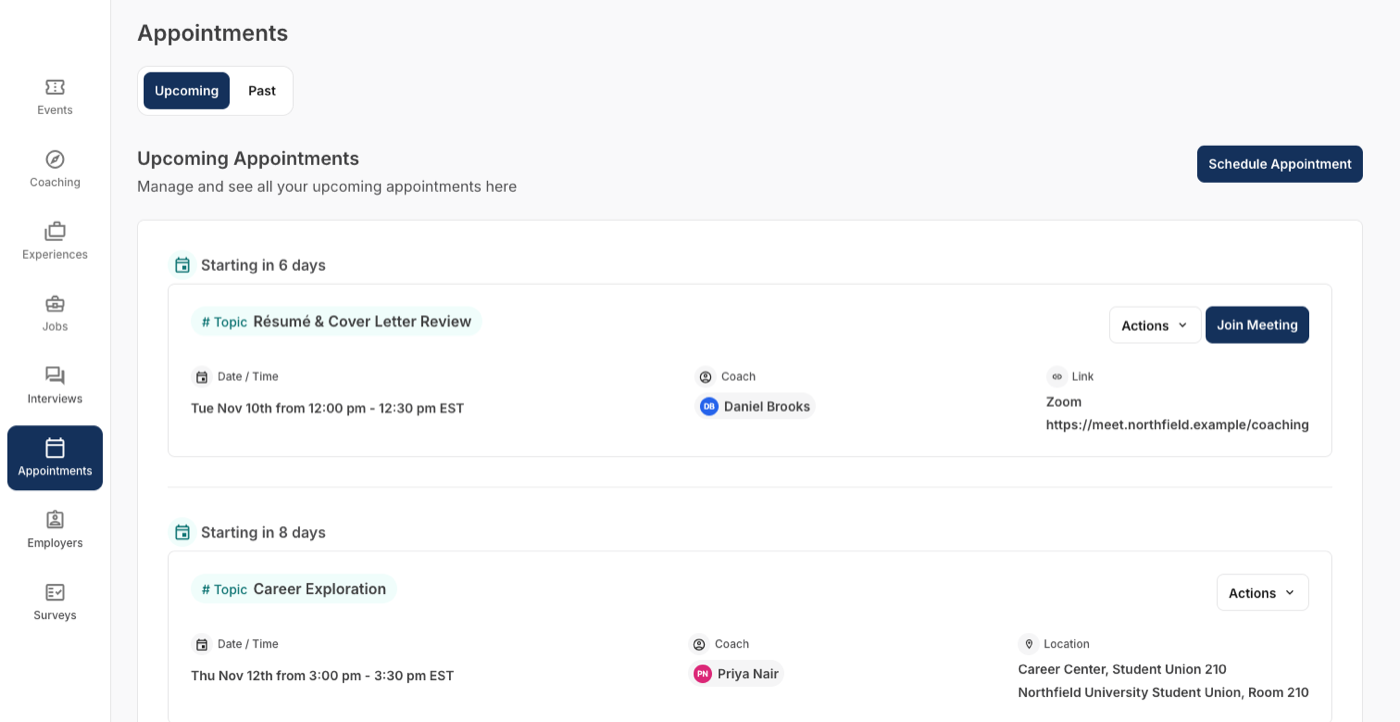
Their appointments, with the join link
Upcoming and past appointments in one place: topic, coach, time, and the room or the meeting link, with a Join Meeting button when it is virtual.
- Reschedule or cancel from the list
- Virtual appointments open from the card
- Past appointments stay on record
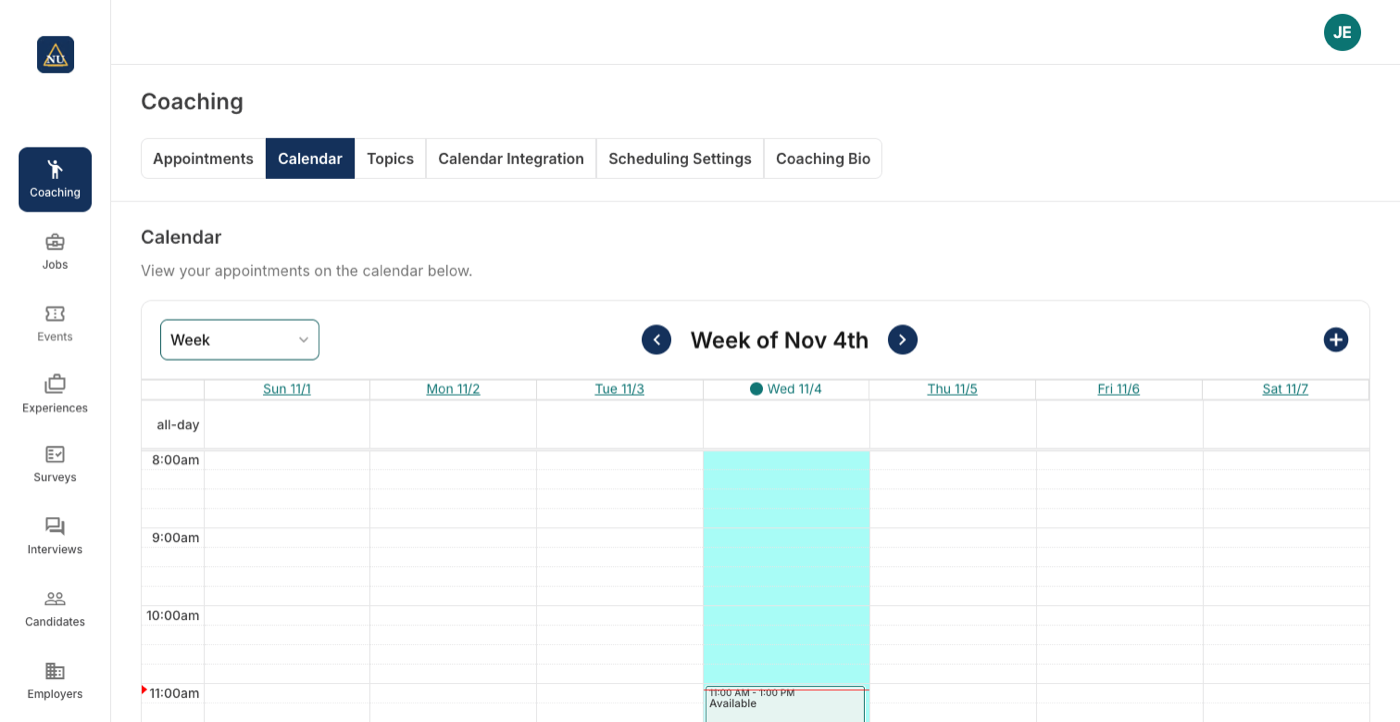
Your calendar, your rules
Recurring available and busy blocks with a location on each, a minimum notice and a buffer between appointments.
- Google and Microsoft calendar sync: bookings block the external calendar, and busy time blocks booking
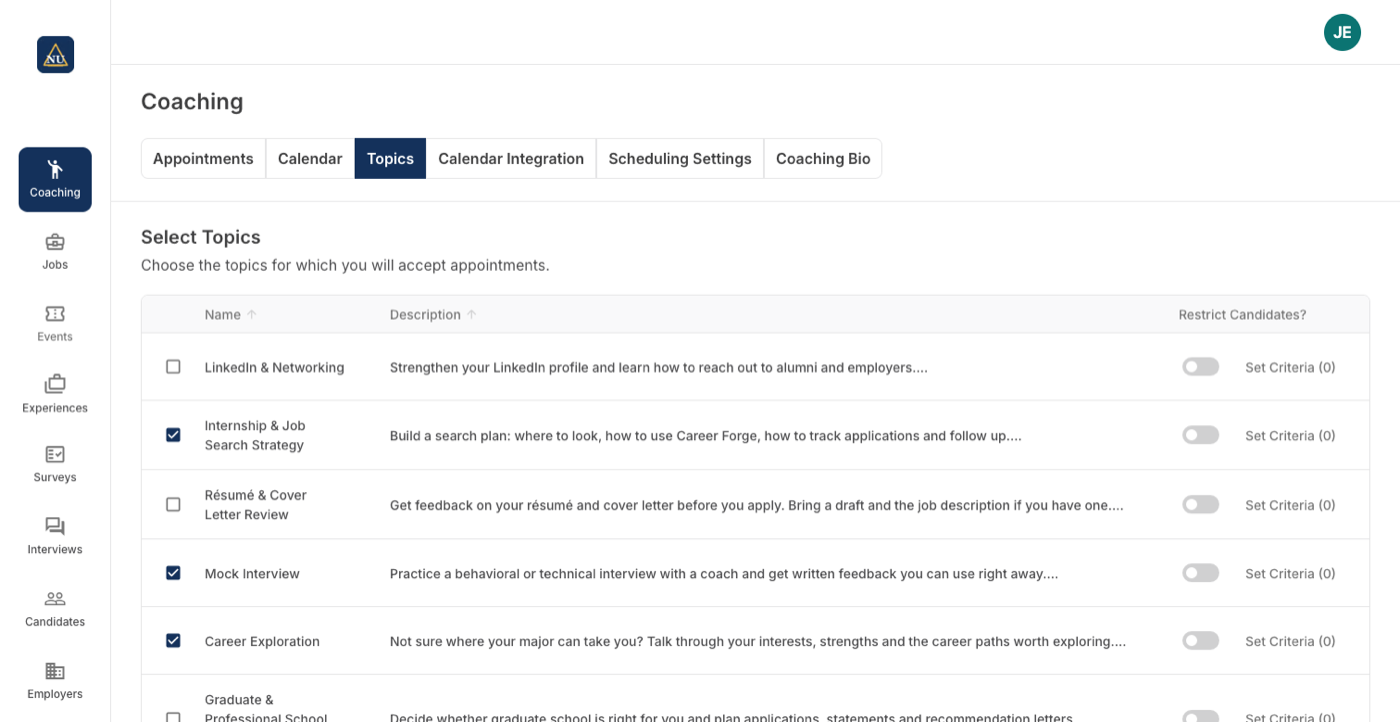
- Each coach picks the topics they offer and can limit who may book by major, year or other profile criteria
- A coaching bio and photo that students see when they book
Appointments with notes, not just times
Upcoming, incomplete and complete appointments in one list, with notes on each, and the option to book for a student or a colleague.
- Appointments missing notes are flagged
- Staff can schedule on a student's behalf
- Download the list
Set once, at the level it belongs to
Each career center on a campus runs its own coaching; what the institution shares is set once for all of them.
| Setting | Set where |
|---|---|
| Topics, their groups and resources, and which topics offer appointments | Per career center |
| Appointment locations and booking limits per student | Per career center |
| Automated appointment emails and their wording | Per career center |
| Which topics a coach offers, and who may book each: majors, school years, position types, work authorizations, degree levels | Per coach |
| Minimum notice for a booking, in minutes, hours or days, and a buffer between appointments of up to two hours | Per coach |
| Available time, recurring or one-off, each window with its locations; busy time on top | Per coach |
| Calendar sync with Google, Microsoft or another provider, two-way or one-way | Per coach |
| A coaching bio and photo students see when they book | Per coach |
Coaching next to Handshake, Symplicity and 12twenty
Topics per career center, coaches with criteria and calendar sync, staff booking on a student's behalf.
| How it works there | |
|---|---|
| Handshake | An appointments tool for in-person and virtual sessions. Source Full comparison |
| Symplicity | Advising online and in person, with integrated availability. Source Full comparison |
| 12twenty | Appointments sync with Google or Microsoft calendars; advisor notes sync to student profiles. Source Full comparison |
Statements about other products come from their own sites, linked in each row.








Coaching, in a career center's words
“The coaching area is an easy place for students to help themselves, which is a big win for a small office like ours. Students really enjoy using it, and we get far fewer questions about how to find things or how to do things.”
“It's been going smoothly and working well.”
On advising appointments, two months in.
What Coaching does not make you do
Topic first, then the coach
A student starts from what they need. The coaches who offer that topic, and whose criteria the student meets, are the ones offered, by name or by whoever is free.
The calendar is the truth
A booking in Career Forge becomes a busy event on the coach's own calendar, and a busy event on that calendar blocks booking in Career Forge, even inside a window marked available.
Fair by default
When a student does not choose a coach and several are free, the appointment goes to the coach with the fewest future appointments.
Questions people ask about Coaching
Works with
See Coaching on your career center
A 30-minute walkthrough with the team that builds it.
